Give a bullet an email address: capture without an app
by Andreas Tissen · · updated
The best capture tool for the outline you already keep is not a mobile app, a share-sheet or a browser extension. It is email, which is already on every device you own, needs no install, no permissions and no update, and can write straight into one branch of the tree.
Every note-taking company eventually builds the four other things: a mobile app, a browser extension, a share-sheet handler, a quick-capture window. All four exist to solve one problem: getting a thing you just saw into the place you keep things. Email solves it once, everywhere at once.
One branch, one address
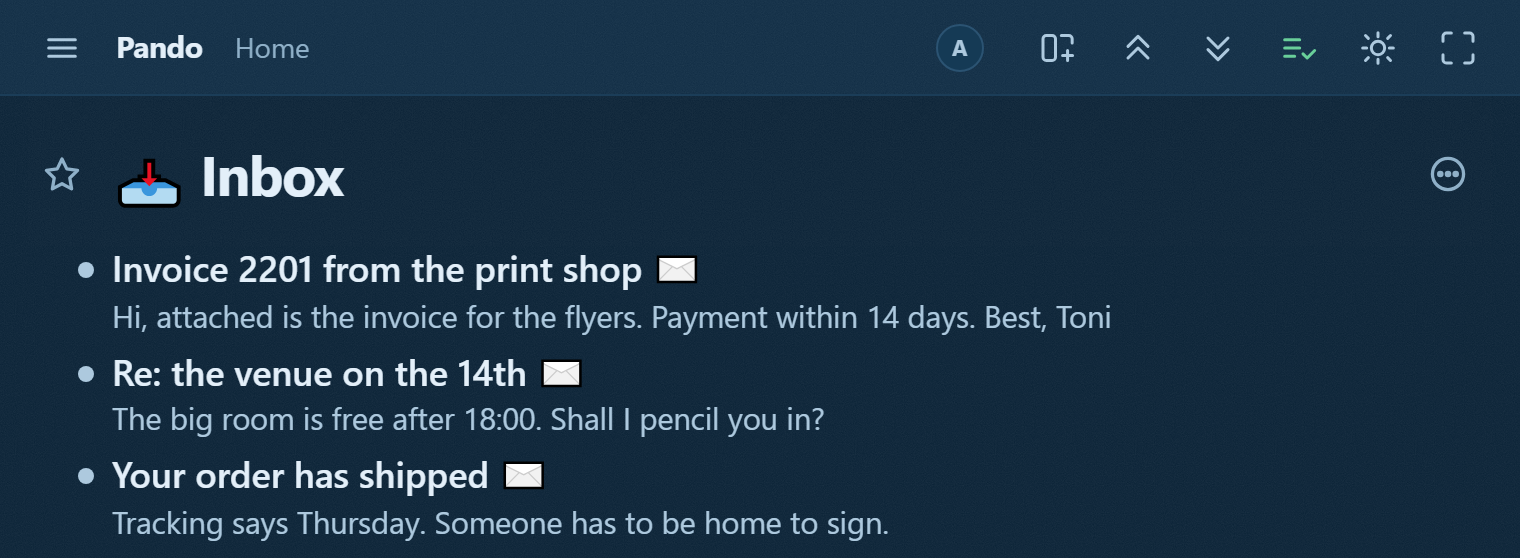
Give a bullet an address and anything sent there lands under it. Your Inbox bullet gets one, and now:
- You forward a receipt into your Inbox from the phone's mail app.
- A newsletter worth reading later goes there in one tap.
- A colleague can send you something without an account here at all.
- The thing you meant to remember at 23:40 arrives by the app that is already open.
The bullet is the destination. No sorting afterwards, no guessing where things belong: you picked the branch when you made the address.
Why this matters more for agents than for you
An agent cannot receive email. It can read a branch. So an address on a branch turns email into something an agent works on:
- forward the supplier's quote to the Kitchen project's address, and the agent that watches that branch sees the quote, not your mailbox;
- an alert from a monitoring system lands in a branch an agent reviews each morning;
- a customer reply arrives where the ticket already is.
The agent never touches your mail, never holds a mail credential and never sees a message you did not forward: the address is a one-way door into one branch, and you can revoke it in one press.
The properties worth knowing before you use it
An address is a capability, not a secret you can share safely. Anyone who has it can write into that branch. That is the point for a colleague and a hazard for a mailing list, so give each purpose its own address and revoke the one that leaks.
Revoking is per address. The branch keeps everything that arrived; only the door closes.
What arrives is a bullet with the subject as its line and the body as its note. Which means it behaves like everything else: it can be moved, dated, ticked, mirrored and read by an agent, with no special case anywhere.
Start with two addresses
Give exactly two addresses to start: one on your Inbox, and one on the project you are currently in the middle of. More than two and you will hesitate about which to use, and that hesitation is exactly the friction you set this up to remove.
Try it
Open a bullet's menu in Pando, give it an address, and send it the first thing you would otherwise have retyped. The test is whether you stop opening the app to capture things, and start opening it to work on them.