Pando vs Dynalist, for the people still there
by Andreas Tissen · · updated
Dynalist deserves more credit than it gets. Dates inside bullets. Files and folders. A free tier generous enough to live in. For years it was the power user's answer to Workflowy, and then its makers built Obsidian and moved their attention there. Dynalist still runs. It still syncs and still takes new sign-ups, but it has visibly stopped growing.
TL;DR. If your Dynalist works and no agent is going near it, staying is fine; a stable tool is a feature. If you want a maintained product your agent can plug into, Pando is the shorter path: it reads your Dynalist OPML whole, and the agent inbox pattern is the thing you get in return that a maintenance-mode outliner cannot ship.
At a glance
| Pando | Dynalist | |
|---|---|---|
| Agent access | MCP door: Claude and ChatGPT connect, remember in a branch you assign, reach the whole outline, read and write or read only | none |
| Live sync | 979 ms to the screen, measured 2026-08-22 on production | Yes, seconds |
| Dates inside bullets | A date in the text is enough; Calendar, Timeline and morning digest read it | Yes, native |
| Files and folders | One tree; a branch IS a folder, a bullet's URL is its address | Files and folders |
| Import | Reads Dynalist OPML whole: nesting, notes, checkboxes and the marks inside a line | Its own OPML export |
| Cadence | Ships weekly | In maintenance since roughly 2020 |
Where each Dynalist feature lives in Pando
- Dates. A date inside a bullet's text is enough. It shows up on the Calendar and on the Timeline without a separate field, and the morning digest reads it too.
- Files and folders. Pando has one tree instead. Any branch works as a folder: zoom into it and it becomes the page, and a bullet's own URL is its address. The PARA shape covers what most people used folders for.
- Mirrors work the same way here: one bullet, several places, one edit.
- Import. Dynalist exports OPML and Pando reads it whole. Nesting, notes and checkboxes survive, and so do the marks inside a line, on a tagged line as much as on a plain one. Moving in has the whole list of what stays behind.
What Pando has that Dynalist never got
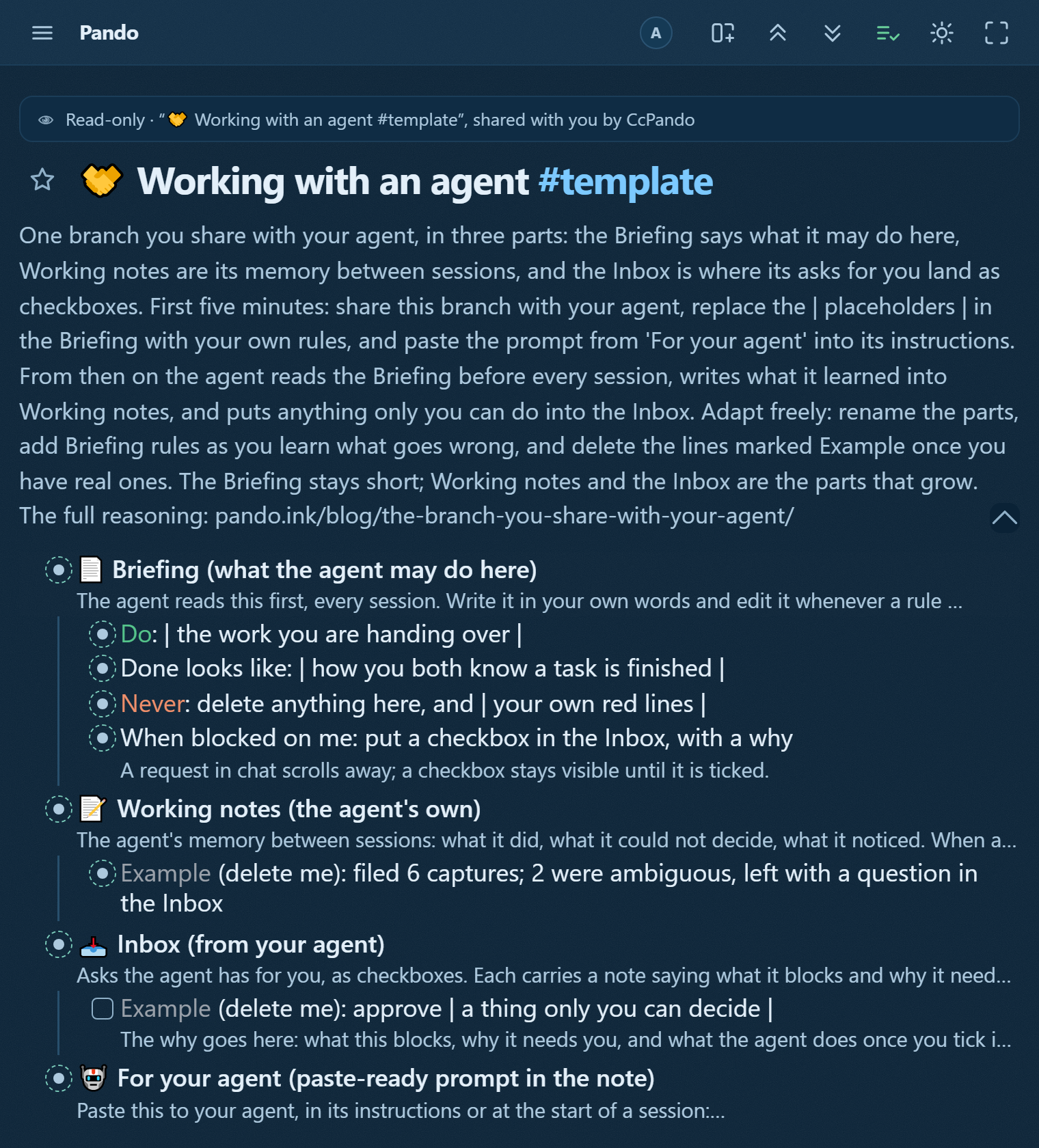
Agents as first-class residents. Claude, ChatGPT or Claude Code connect over MCP, remember in a branch of your outline you assign, and work in your whole outline, read and write or read only, as you choose. The agent writes what it needs from you into your tree as checkboxes. You tick. It continues. See The branch you share with your agent for the full pattern.
Tables and boards inside the outline. A bullet's children can render as a table's rows or a board's columns, and you turn them back into bullets with one layout change.
Live sync in about a second, and that is measured on production rather than promised. Measured 2026-08-22 against pando.ink, with the second tab's poll stretched to 30 s so only the socket can explain the result: the message lands in 713 ms and the bullet is on the screen at 979 ms. Another person's edits, or an agent's, appear while you watch.
The part where Dynalist wins
Dynalist is stable precisely because it stopped moving. Stable is a feature. I mean that. If your system runs and you never want an agent inside it, there is no urgent reason to leave, and I will not invent one for you. The moment you do want an agent, though, a maintained product your agent can connect to is the shorter path.
Who each is for
- Stay on Dynalist if your system runs, dates and folders are the features you rely on, and no AI agent is going near your tree.
- Move to Pando if you want a maintained outliner that welcomes an agent as a first-class resident. The OPML import means moving is cheaper than staying with a tool that has stopped growing.
Moving day, if it comes
Export OPML in Dynalist and drop the file on Pando. That is the move. Check the template gallery for the shapes you kept folders for. Export back out is one gesture, so trying costs a Saturday morning rather than a commitment. Or open the app and start with one branch to see how the agent inbox reads before you move the whole tree.