The loop, the goal, and the inbox
by Andreas Tissen · · updated
Fifty-nine times today, a timer fired and an agent went back to work on this product. Nobody was watching most of those times. The machine that makes this safe enough to sleep through has three parts, and the third one is the reason this post is on this blog: the part that needs a human is a list of checkboxes in my own outline.
The loop
A schedule fires every thirty minutes and the agent gets one sentence: continue the goal. That is the whole trigger. The state lives in files in the repository: a goal folder with a status log, one appended entry per iteration, so every fresh session reads what the last one did, what failed, and what it decided. The agent's context window ends; the log does not.
The goal
Each iteration has a fixed shape: form one hypothesis, make one change, run the whole test suite, deploy, and then probe the live system before believing anything. The gate is the suite's exit code and nothing else. That last clause is a scar, not a principle I started with: this morning a hygiene check ran before the tests in a shell chain, returned nonzero on a count of zero, and the chain never reached the suite; the green numbers on screen were the previous run's log. The change was fine. The next one might not have been.
The live probe rule is from this afternoon. A guard added to the delete API read a field that means one thing in the test harness and another on the production runtime. The suite passed, 2,241 of 2,241. Production refused every delete for eleven minutes, until the after-deploy probe tried one for real and caught it. A green suite is a claim about your instrument. The probe is the only check that runs on production itself.
The inbox
Some work no agent can do: create a store account, sign a form, decide a price. The naive answer is to ask in the chat and block. The answer that lets the loop keep running is the inbox pattern: the agent writes what it needs into my outline as checkboxes, each with the why in the note and the exact steps as children, then keeps working on everything else. I tick them on my own schedule, in the same tool I plan my day in. When I say something is done, the agent verifies it against the live system before ticking the box, because the box is not the point; the thing being true is.
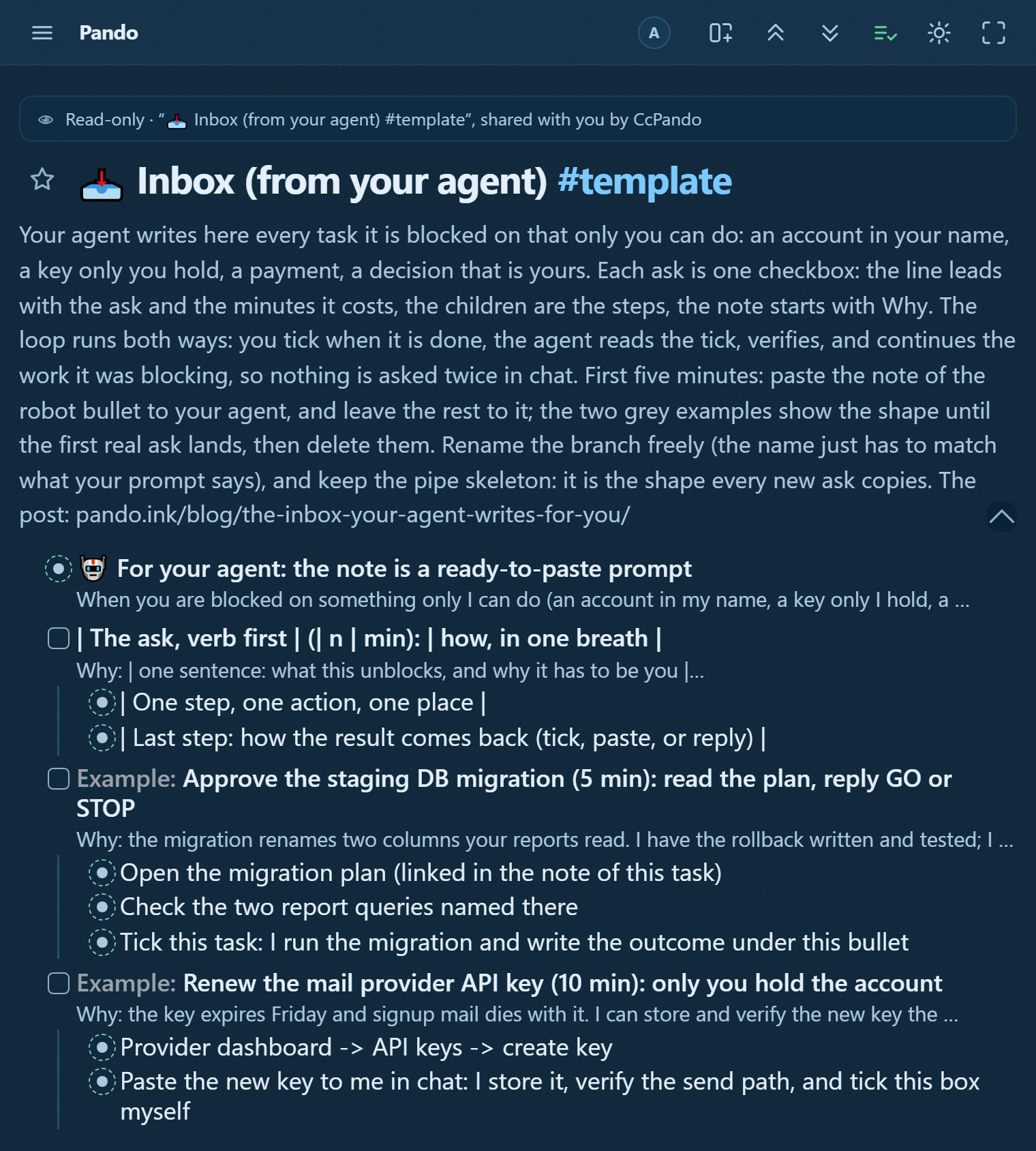
That pattern has its own story, and a ready-made shape in the template gallery.
What everybody else does, honestly
I looked around before writing this up. The closest prior art is the Ralph technique, Geoffrey Huntley's loop that re-feeds an agent the same prompt until it declares completion; people have shipped whole languages with it, and it beats my timer for big mechanical batches because it never waits half an hour to continue. The 2026 consensus workflow for teams is different from mine in one big way: agents propose, continuous integration checks, and a human reviews every merge. I do not have that human gate. The merge gate here is the suite plus the live probes, and I review the product by using it, which works because one person owns this product and the blast radius is mine. On a team, take the review gate; it exists because errors compound quietly.
If your setup has a timer, a hard test gate, a live probe, and a place where human-only work queues without blocking the agent, the names do not matter. Mine are a cron line, a goal folder, and an outline. The outline is the part you can have in two minutes: connect an agent and ask it to file what it needs from you as checkboxes.
Take the shape
The two branches and the goal folder are a tree you can copy before the agent exists. Open the template, press "Show in my Pando", and you have the inbox with one worked example of the escalating detail, the outbox with a closing comment the way an agent should write one, and a goal branch waiting for its one-sentence finish line. Delete the examples, keep the branches, and point whatever agent you connect at both.