Obsidian and Claude: when you need an MCP server, and when you need nothing at all
by Andreas Tissen ·
If your agent is Claude Code and your vault is on the same laptop, you do not need an MCP server. Open a terminal in the vault folder and start claude. It reads and edits Markdown files on its own, and your vault is a folder of them.
That one sentence is the most useful thing in this post. The rest is for the other common cases, and they turn on a single question: where does your agent run, and where does your vault live?
Everything below was read on 22 and 23 September 2026: the vendors' own pages, the repositories, Obsidian's plugin statistics, the official MCP registry and one XDA article. Pando publishes this post and runs a hosted outliner with an MCP server. Where it fits comes last, and for most of the cases here it does not fit at all.
Which way, by where your agent runs
| Your agent | What works | What must stay switched on |
|---|---|---|
| Claude Code, same machine as the vault | start claude in the vault folder | that machine. |
| Claude Desktop | give Claude the vault folder | that machine. |
| An agent inside Obsidian | a plugin such as Claudian or Copilot | the desktop app, for the agent itself. |
| The Claude app on your phone, driving your computer | Remote Control | your computer, with claude running. |
| Claude Code with the laptop shut | a cloud session on a vault in GitHub, or your own always-on machine | nothing of yours, or that machine. |
| A chat that writes to your notes | an MCP server the chat's cloud can reach | wherever that server runs. |
The first three rows need no server you set up yourself.
Claude Code in the vault. Nothing to install. If you want it to understand Bases, Canvas and the Obsidian CLI, kepano/obsidian-skills teaches it. That is the personal repository of Obsidian's CEO, with 48,755 stars, and its README says to add it "to a /.claude folder in the root of your Obsidian vault".
Claude Desktop. Since 16 September, chat and Cowork have been merging into one Claude, starting with Pro and Max. Once that reaches your account, you can give Claude, in Claude Desktop, a folder on your computer "so it can read, organize, and create files there". On the Free plan, Anthropic's own Filesystem extension does the job. An XDA writer who set it up wrote on 27 April: "Setting it up took maybe three clicks."
The one catch, for both. Claude renames files at the level of the operating system, so Obsidian never hears about it, and every [[link]] to that note breaks. Rename through Obsidian instead. The Obsidian CLI's rename and move update links if that is turned on in your vault settings. The CLI works through the app and starts it if it is closed, and kepano's repository has a skill that teaches Claude to use it.
An agent inside Obsidian. This is where the most-downloaded plugins put Claude. In Obsidian's own plugin statistics of 22 September, Claudian has 2,184,217 downloads and Copilot 2,031,609. Those figures add up every release, so each update counts again; they are not people. Claudian's listing says it "Embeds Claude Code/Codex and other local Agents as AI collaborators in your vault." Copilot's agent mode runs only on the desktop, though its Quick Chat also works in Obsidian on your phone, with your own API key.
Away from the desk
This is where the answers split.
Remote Control lets the Claude app on your phone drive a Claude Code session on your computer. Anthropic's page says it "makes outbound HTTPS requests only and never opens inbound ports on your machine". A sleeping laptop reconnects when it wakes. But the claude process has to keep running, and nothing happens while the machine sleeps. Dispatch, which did the same through Claude Desktop, is no longer offered to new users.
A cloud session is the one that keeps going with the laptop shut. Anthropic's docs: "The session keeps running after you close your laptop." It works on a GitHub repository, and keeping a vault in Git is common: the Git plugin has 3,178,223 downloads. Routines run such sessions on a schedule. One thing surprises people. The changes land on a branch of its own, named claude/.... Merge it on GitHub, or tell the routine to push to your main branch, which works only if main is not protected and carries no commits by anybody else. Then they arrive with your next pull.
Obsidian Headless is Obsidian's own route, in open beta and with a Sync plan. It keeps a synced vault on a server, or any machine with Node.js 22, without the desktop app, and Obsidian's help lists this use for it: "Give agentic tools access to a vault without access to your full computer." Run Claude Code next to that copy on a machine that stays on, and the laptop can close.
When you need an MCP server
You need one when a chat has to write to your notes: claude.ai in a browser, the Claude app, or ChatGPT. Reading is easier. A vault kept on GitHub can be added to a claude.ai chat or project through its GitHub integration, on every plan including Free. That gives Claude synced files to read, not a vault to edit, and in the new merged Claude "Add from GitHub isn't supported" yet.
To write, the chat's cloud has to reach the server. Anthropic reaches a custom connector "from Anthropic's cloud infrastructure, rather than from your local device". ChatGPT takes a public HTTPS address, or OpenAI's Secure MCP Tunnel, whose client has to stay running: "If the client is not connected, requests through the tunnel fail until tunnel-client reconnects." Either way ChatGPT needs developer mode, set up on a computer. OpenAI lists it for paid plans, though a Free account managed it in a test on 23 September 2026.
Obsidian ships no MCP server of its own, and the official MCP registry has nothing published by Obsidian itself, only community servers. They come in four shapes.
- Inside the app. The Local REST API plugin, listed as "Local REST API with MCP" with 736,922 downloads, has carried its own MCP server since version 4.0.0 in May. By default it answers only on your own machine, and only while Obsidian is open.
- A local process that calls that plugin.
mcp-obsidian, the most-starred server at 4,440 stars, works this way. So Obsidian has to be open for it too. - A local process that reads the files.
mcpvault(1,672 stars) says "Obsidian does not need to be running, and no Obsidian plugin is required." - Your own server.
obsidian-web-mcpruns behind a Cloudflare Tunnel or on your own VPS.obsidian-sync-mcpruns on your own Fly.io app, which its README puts at about USD 3 to 4 a month.
Where the plugin route breaks
These are the problems still documented on 22 September, for the servers that go through Obsidian itself. The filesystem servers avoid them.
On a Mac, the app has to stay in front. The plugin's own wiki records it going unresponsive under App Nap, and the suggested workaround "has not been verified by the maintainer team".
Three projects version on three schedules. The most-starred server's patch tool fails against the plugin's 5.x line with error 40084. Two issues report it, #158 of 13 August and #166 of 11 September, and both were still open.
Hosted, if you want no server of your own
A hosted service answers from its own servers, so nothing of yours has to run. One is worth naming for somebody who keeps notes in Obsidian.
Basic Memory Cloud is a hosted MCP endpoint that writes Markdown, at USD 15 a month per seat (Business USD 30). The notes live in its cloud and reach your vault when you pull them with its command-line tool; its own docs describe sync as "Explicit operations".
Pando, which publishes this post, comes after it, and it is a different thing. Pando does not connect to your vault. It is a separate outline your agent writes in, at one address, https://pando.ink/mcp. claude.ai reaches it through its connector settings, and ChatGPT through developer mode. What it offers is narrow: the place your agent writes is the place you read, with no pull step and no repository. Open it on your phone and the bullet is there as it lands.
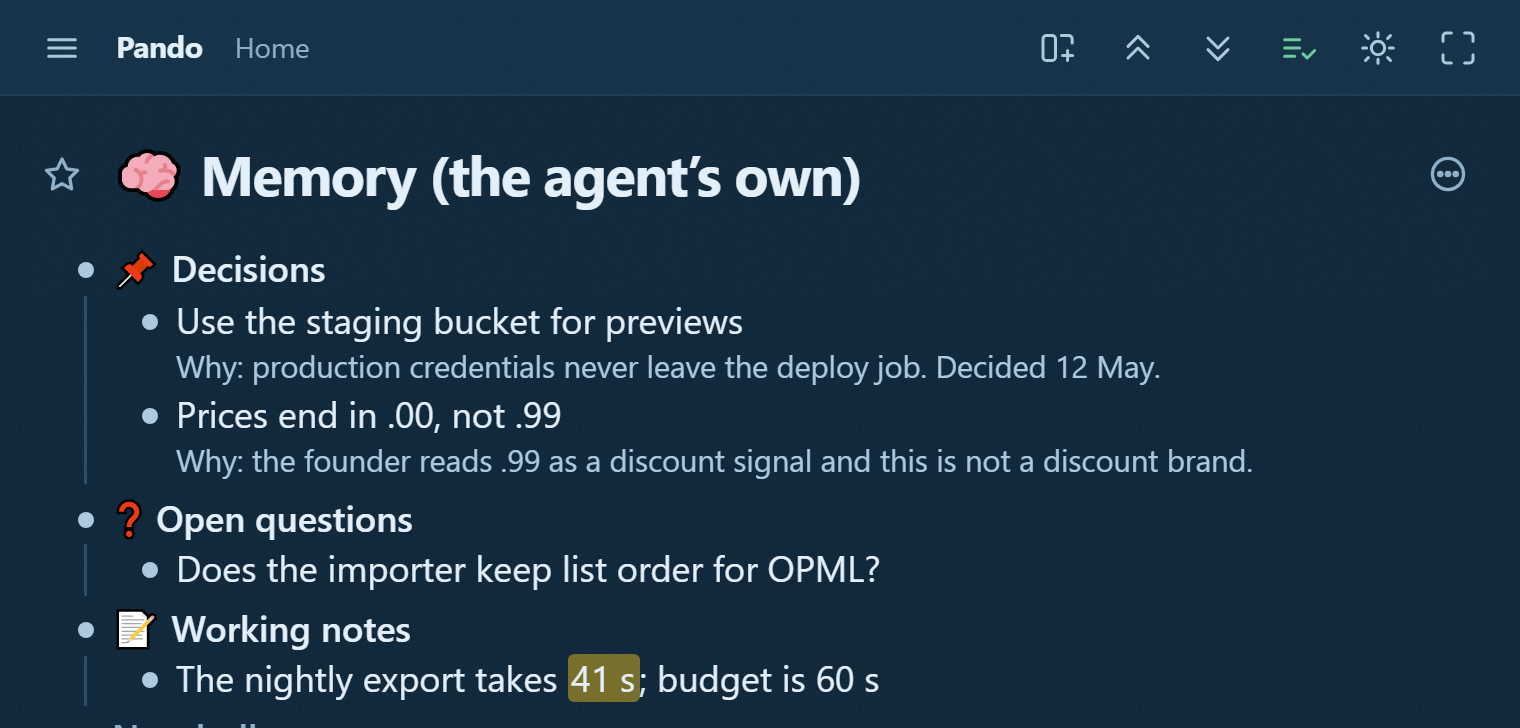
Give your agent a memory shows the shape that memory settles into. Everything in it exports as Markdown, so an agent's work can land back in your vault.
What it is not, said plainly. It is not Markdown files on your disk, and Pando vs Logseq is honest about what that costs. It is not end-to-end encrypted. Obsidian Sync is, by default. It is free for 1,000 bullets; Pro is not for sale yet, and at the limit you get three months of it on us.
If a chat has to reach your vault, pick one of the servers above. If you would rather give the chat an outline of its own, one you read on your phone, connect it to Pando in about two minutes.